


BBB Plugin now includes a new playback tracking feature for BigBlueButton recordings. This tool allows you to see how much content each student watched, which sections they played, and which parts they skipped.
The feature includes a segment-based playback map and a configurable threshold that determines when a recording is considered completed. This information is also integrated into BBB Plugin attendance and absence reports.
Segment-based playback map
Each recording is divided into 100 segments, represented by a bar with different color intensities.
This map helps identify watched sections, skipped fragments, and parts reviewed more than once. It gives instructors a more detailed view of each student’s viewing behavior.
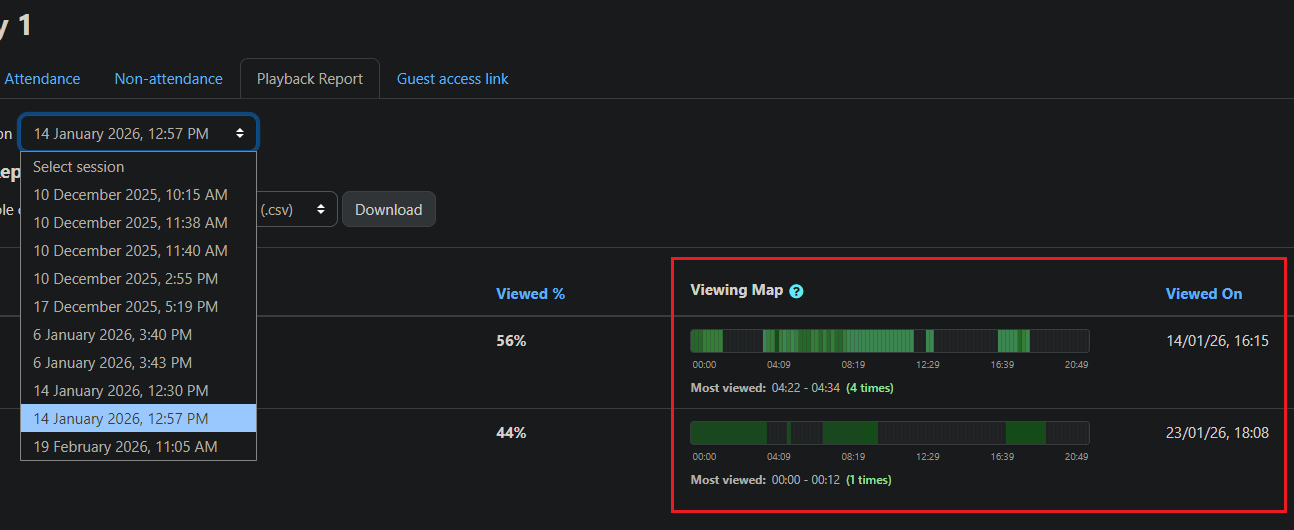
Playback tracking is available for recordings in video and presentation formats. This provides a more accurate view of content consumption, even when a student fast-forwards, rewinds, or resumes playback later.
Configurable threshold for completed playback
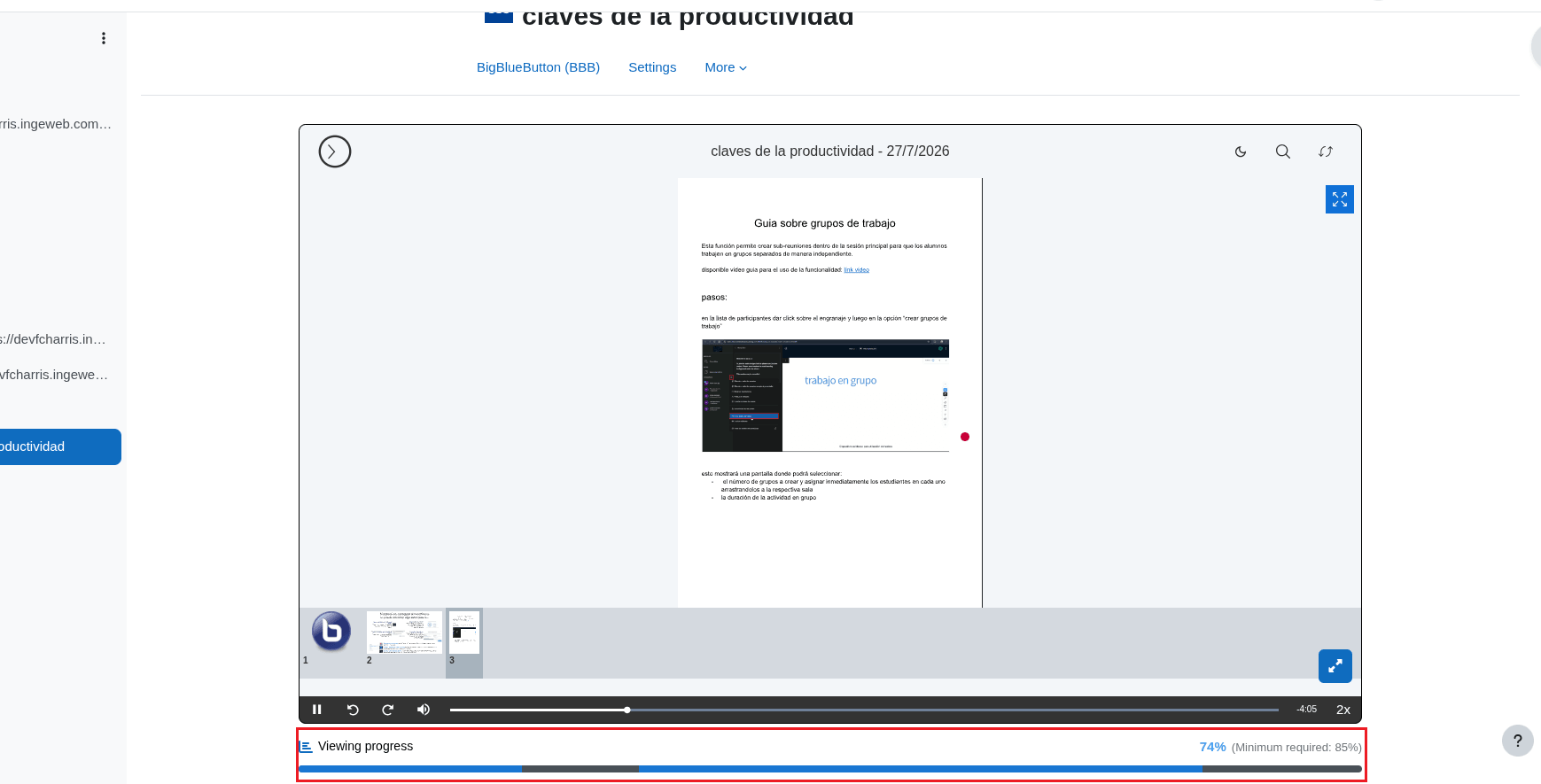
By default, a recording is considered completed when a student has played at least 85% of the content.
This percentage can be configured globally or for a specific activity, according to the criteria established for each course.
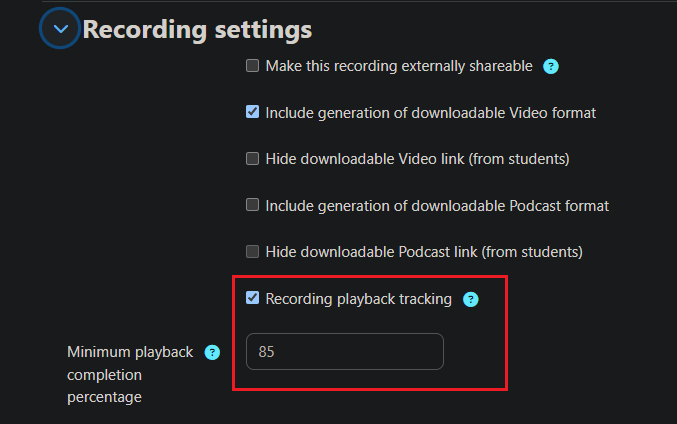
Once the student reaches the defined percentage, the playback status is automatically updated to completed.
Integration with attendance reports
Recording playback tracking is integrated into BBB Plugin attendance and absence reports.
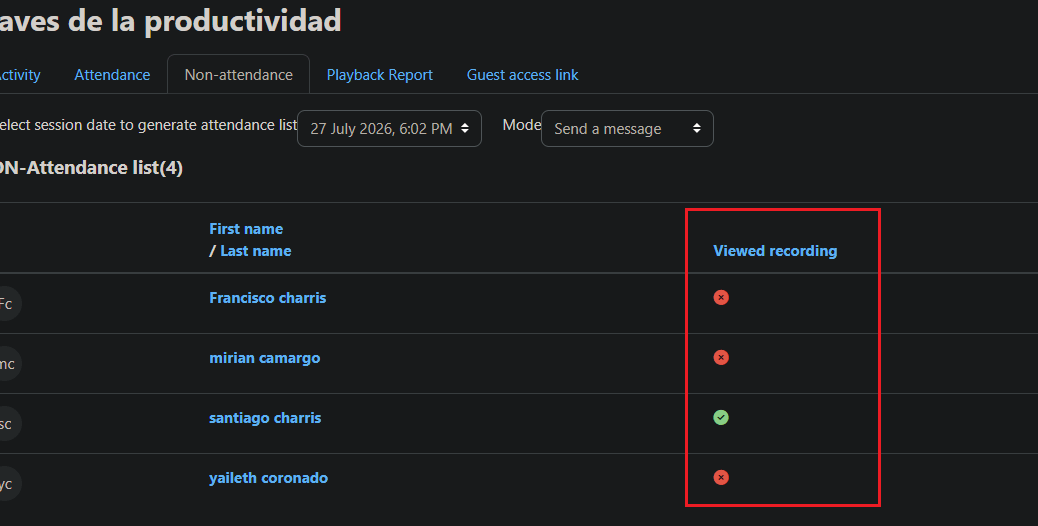
From the report, instructors can check whether a student completed the recording and access the corresponding playback details.
Technical compatibility
Playback tracking is available for BigBlueButton recordings in video and presentation formats.
The feature must be enabled in the corresponding version of BBB Plugin so that playback data can be recorded and displayed in the reports.
Update BBB Plugin or learn more about the service
If you are already a BBB Plugin customer, check the email address associated with your subscription. You will find the information required to update the plugin and access the new features.
If you do not yet use the service, you can review the available plans for integrating BigBlueButton with Moodle and access features such as recording playback tracking, attendance reports, and downloadable recordings.