BigBlueButton and Moodle
Inicio $ Category: BigBlueButton and Moodle ( Page 2 )
ARTÍCULOS POPULARES

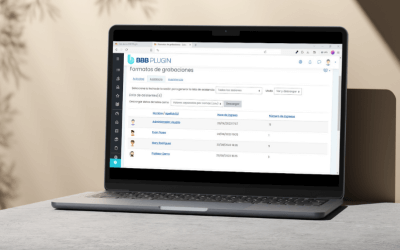
New version of the BBB Plugin: detailed playback tracking and a new plugin logo

BBB Plugin has released a new version that includes tools for reviewing recording playback, changes to how the BBB Plugin is identified within Moodle, and several technical fixes. Below are the main changes included in this update. Recording...

Now you can see which parts of a recording each student watched

BBB Plugin now includes a new playback tracking feature for BigBlueButton recordings. This tool allows you to see how much content each student watched, which sections they played, and which parts they skipped. The feature includes a segment-based...

New version of the BBB Plugin: Now you can better visualize storage usage

In this update, we offer you greater clarity about the storage usage of your recordings, along with internal improvements that ensure a more stable and adaptable performance across different environments within your BigBlueButton service. Below, we...

Step-by-Step to Install Our BBB Plugin (BigBlueButton) in Moodle

This article applies to our BBB Plugin customers. Before proceeding with the installation of our BBB plugin, it is important to verify the necessary requirements to ensure its proper functioning. Follow this step-by-step guide to complete the...

How to add your logo in BigBlueButton meetings?

This tutorial is only valid for users who have contracted our BigBlueButton service. If you are using a free version of BigBlueButton or have the service contracted with another provider, this feature may not be available. The ability to add a...

PUBLICACIONES RECIENTES

BigBlueButton and Moodle
Inicio $ Category: BigBlueButton and Moodle ( Page 2 )

MOST POPULAR

New version of the BBB Plugin: detailed playback tracking and a new plugin logo

BBB Plugin has released a new version that includes tools for reviewing recording playback, changes to how the BBB Plugin is identified within Moodle, and several technical fixes. Below are the main changes included in this update. Recording...

Now you can see which parts of a recording each student watched

BBB Plugin now includes a new playback tracking feature for BigBlueButton recordings. This tool allows you to see how much content each student watched, which sections they played, and which parts they skipped. The feature includes a segment-based...

New version of the BBB Plugin: Now you can better visualize storage usage

In this update, we offer you greater clarity about the storage usage of your recordings, along with internal improvements that ensure a more stable and adaptable performance across different environments within your BigBlueButton service. Below, we...

Step-by-Step to Install Our BBB Plugin (BigBlueButton) in Moodle

This article applies to our BBB Plugin customers. Before proceeding with the installation of our BBB plugin, it is important to verify the necessary requirements to ensure its proper functioning. Follow this step-by-step guide to complete the...

How to add your logo in BigBlueButton meetings?

This tutorial is only valid for users who have contracted our BigBlueButton service. If you are using a free version of BigBlueButton or have the service contracted with another provider, this feature may not be available. The ability to add a...

MOST RECENT