BBB Plugin now includes a new playback tracking feature for BigBlueButton recordings. This tool allows you to see how much content each student watched, which sections they played, and which parts they skipped. The feature includes a segment-based playback map and a...
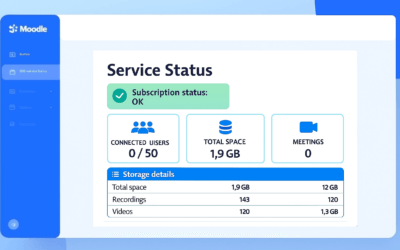
New version of the BBB Plugin: Now you can better visualize storage usage
In this update, we offer you greater clarity about the storage usage of your recordings, along with internal improvements that ensure a more stable and adaptable performance across different environments within your BigBlueButton service. Below, we present the main...
Step-by-Step to Install Our BBB Plugin (BigBlueButton) in Moodle
This article applies to our BBB Plugin customers. Before proceeding with the installation of our BBB plugin, it is important to verify the necessary requirements to ensure its proper functioning. Follow this step-by-step guide to complete the process correctly: 1....
How to add your logo in BigBlueButton meetings?
This tutorial is only valid for users who have contracted our BigBlueButton service. If you are using a free version of BigBlueButton or have the service contracted with another provider, this feature may not be available. The ability to add a custom logo to virtual...
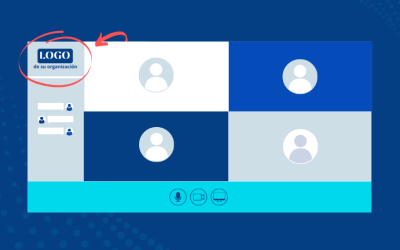
New version of our BBB plugin: now you can add your logo to meetings
We are pleased to announce the release of the new version of the BBB plugin, which includes an exciting update: the ability to add fully customizable logos during meetings. Customize the meeting with your organization or institution's logo One of the most notable new...
Unlimited HD webcams in your BigBlueButton videoconferences
Another of the latest enhancements we have added to our hosting service for BigBlueButton! Unlimited webcams with the option of high quality: In addition to having the number of webcams you need for your meetings, you now have the ability to choose the quality from...